
It seems easy to get beyond the actions limit on GitHub
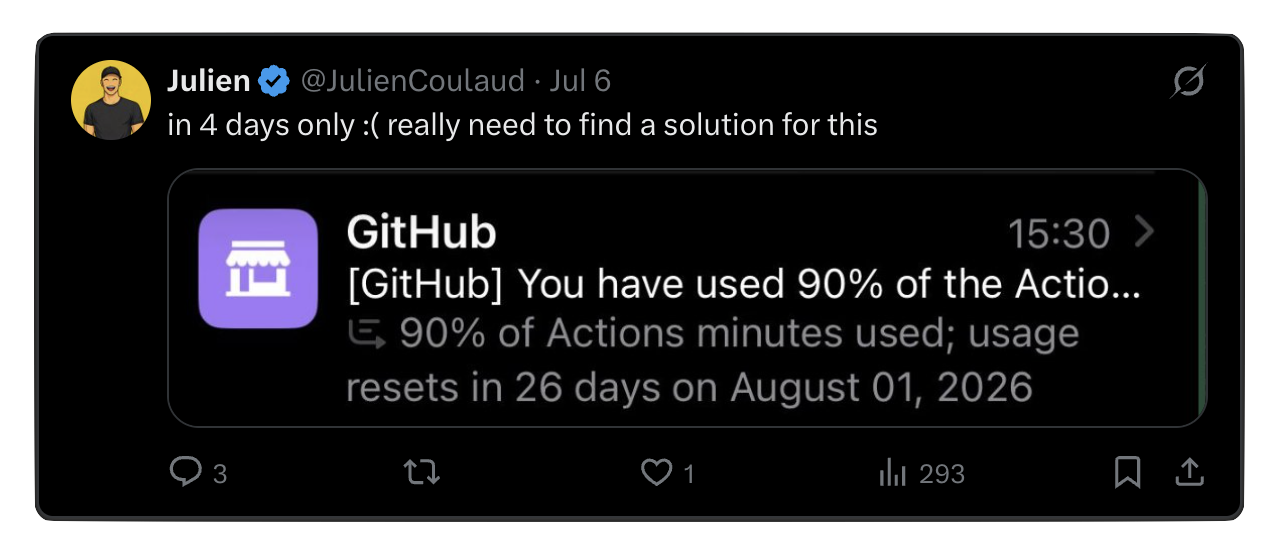
The solution is simple:
- a permanently online machine
- gitea
The machine
As for my case, the machine is a small $400 Ryzen mini PC, which is way overkill for only running Gitea. A simple Raspberry Pi would be enough for this.
It is also better to have a domain and TLS (letsencrypt) and a reverse proxy to manage external access (outside your LAN), but you could also get by by using Tailscale.
Installing it and setting it up
My preference is to install everything with Docker. It makes isolation better (I have many apps which may have conflicting OS dependencies), easier to update and running 24/7.
The installation instructions are here: https://docs.gitea.com/installation/install-with-docker
I used this docker compose file:
networks:
  gitea:
    external: false

volumes:
  gitea:
    driver: local

services:
  server:
    image: docker.gitea.com/gitea
    container_name: gitea
    environment:
      - USER_UID=1001
      - USER_GID=1001
      - DISABLE_REGISTRATION=true
      - GITEA__database__DB_TYPE=mysql
      - GITEA__database__HOST=db:3306
      - GITEA__database__NAME=gitea
      - GITEA__database__USER=gitea
      - GITEA__database__PASSWD=gitea
    restart: always
    networks:
      - gitea
    volumes:
      - ./gitea:/data
      - /etc/timezone:/etc/timezone:ro
      - /etc/localtime:/etc/localtime:ro
      - /home/git/.ssh/:/data/git/.ssh

    ports:
      - "127.0.0.1:8033:3000"
      - "127.0.0.1:2222:22"
    depends_on:
      - db

  db:
    image: docker.io/library/mysql:8
    restart: always
    environment:
      - MYSQL_ROOT_PASSWORD=gitea
      - MYSQL_USER=gitea
      - MYSQL_PASSWORD=gitea
      - MYSQL_DATABASE=gitea
    networks:
      - gitea
    volumes:
      - ./mysql:/var/lib/mysql
Then download the software and run it with docker compose up -d
I also have a cron job to do docker compose pull; docker compose up -d every week so that it stays up to date.
Configuration / runner
I have set it up so that it is private by default, I blocked sign ups and made everything for logged in users only. I have my own user and I can create orgs/repos/etc as much as I want.
GitHub actions are supported out of the box, the only thing you need is a runner (the machine that will execute the tasks). For this I am using my laptop as it is faster and I know it has all the dependencies since it it is my development machine. I am running the macOS runner.
You need to install the runner and link it with your gitea server according to the documentation: https://docs.gitea.com/next/usage/actions/runner
The last thing I needed to configure is the SSH access. My use case is that I will ssh to the host first (called dkn in the snippet) and then ssh to the docker container (which is on port 2222, see the docker compose file). Here is the relevant section of my ~/.ssh/config:
Host gitea
  HostName 127.0.0.1
  ProxyJump dkn
  Port 2222
  User git
This way, I can clone repositories easily. My remote syntax is gitea:org/repo
For example this will work:
git clone gitea:myorg/repository
git remote add origin gitea:myorg/repository
So it is fairly easy to have everything managed there.
Recommendations
I would recommend
- making sure you understand security, IP routes, what is public/private, docker compose configuration, etc
- setting up a firewall to properly limit IP access to each part (e.g. do not expose your mysql container to the internet)
- setting up a proper gitea configuration that matches what you want
- backing up the repositories somewhere else because your code will not be saved by GitHub (you could still add GitHub as another git remote, as a backup, without the GitHub actions)