Stop paying monthly subscriptions for AI and take full control of your own private LLM. This guide shows you how to build a high-performance, unlimited inference server using a budget mini PC and llama.cpp for just a few hundred dollars.
step 1 buy a cheap mini PC
For example a mac mini or a ryzen
I chose this little guy and installed debian 13 on it (which I accidentally upgraded to testing!)
a mac mini probably gives more power per $ but I needed linux for other stuff on that server
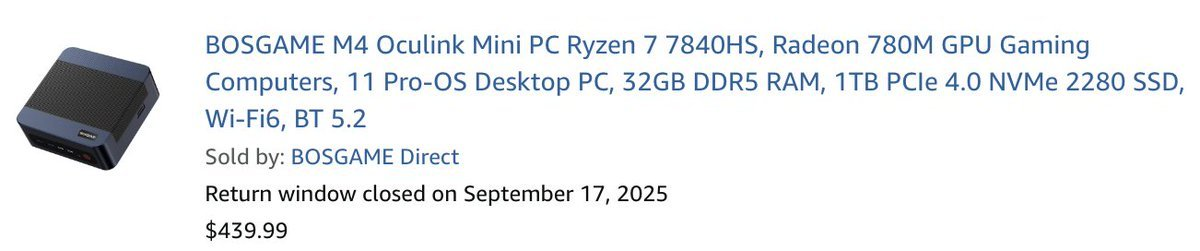
step 2 clone llama.cpp
and install dependencies
$ cd /opt
$ git clone https://github.com/ggerganov/llama.cpp
$ sudo apt update; sudo apt install rocm # according to GPU
step 3 compile the thing with auto-update
I am compiling this every monday with:
$ cat update.sh
#!/bin/bash
set -e
set -o pipefail
cd "$(realpath "$(dirname "$0")")"
git pull
cmake -B build \
  -DGGML_VULKAN=1 \
  -DCMAKE_BUILD_TYPE=Release \
  -DLLAMA_BUILD_SERVER=ON
cmake --build build --config Release -j$(nproc)
sudo systemctl restart llama.cpp.service
Compile flags are probably different on other machines
cron:
$ crontab -l | grep llama
0 0     * * 1   /opt/llama.cpp/update.sh
systemd unit file:
$ systemctl cat llama.cpp.service
[Unit]
Description=Llama Server
After=network.target

[Service]
Type=simple
User=root
WorkingDirectory=/opt/llama.cpp/build/bin
ExecStart=/opt/family/llama.cpp/build/bin/llama-server \
        --host 0.0.0.0 \
        --port 11434 \
        --n-gpu-layers 99 \
        -np 1 \
        -c 128000 \
        -hf unsloth/gemma-4-26B-A4B-it-GGUF:UD-IQ4_XS \
        --reasoning off
Restart=always
RestartSec=5
Environment=HF_TOKEN=hf_xxxx
OOMScoreAdjust=-300
[Install]
WantedBy=multi-user.target
here, we are:
- loading gemma4 26B with a Q4 quant to fit into 16GB of vram
- flagging the service with a nice OOM score bonus so that it does not get killed first by the kernel in case of memory pressure (as i said I have other apps running on that machine)
putting a local web server for other machines on LAN on port 11434 - offloading everything with the GPU
- 1 parallel processing
- 128k context window
- no reasoning
- setting a huggingface token (to download the models)
Then activate and start, it will download the model (may take a while if your internet is slow)
sudo systemctl enable --now llama.cpp
step 4 use
Now just go to server-ip:11434 and you have your unlimited token with full privacy.
Inference speed may not be crazy (I am getting 20tok/s) but it is more than enough for a chatbot, and barely enough for a coding agent (e.g. Aider)